
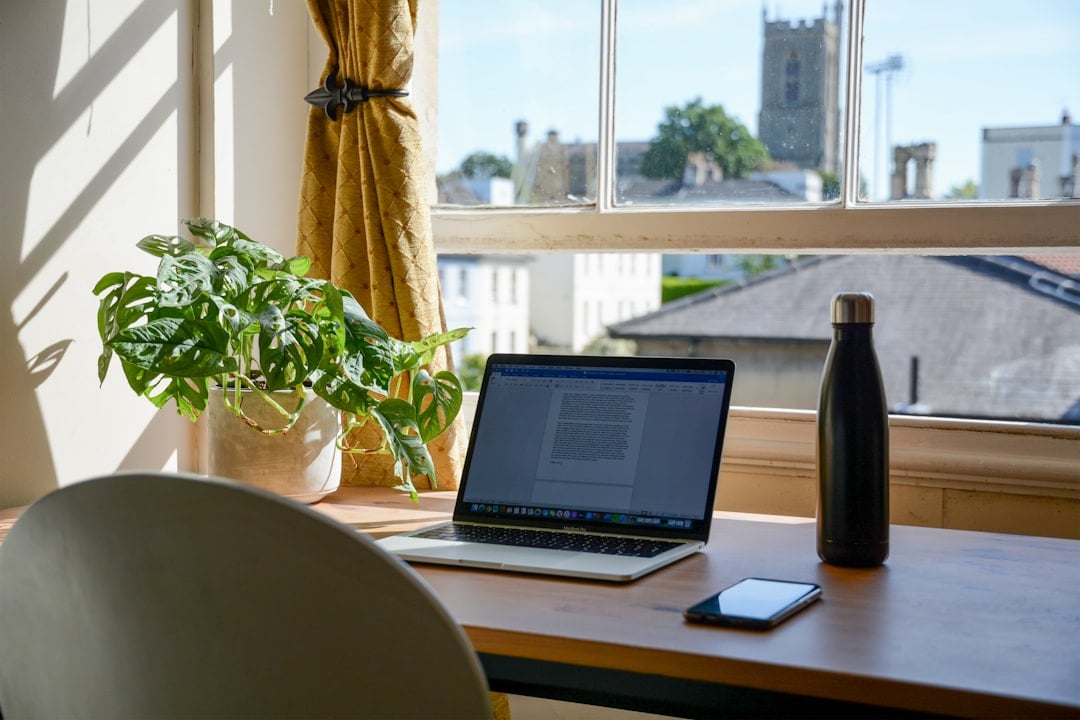
The dream version of working from home usually looks calm. Big desk. Good coffee. Sunlight pouring in at just the right angle.
The real version? A laptop on the dining table, a chair that was never meant for eight hours of emails, and someone asking where the charger went.
Before setting up a home workspace, flexible workers need to look at the space honestly. Not the Pinterest version. The real one. Is there enough natural light? Can the door close when meetings get noisy? Is the chair going to leave someone with a sore back by Wednesday?
A spare room is great, but it’s not essential. A quiet corner can work well if it has power nearby, decent airflow and enough separation from the rest of the home. On the Gold Coast, where apartment living, family homes and share houses all look different, the best setup is the one that fits the way the household actually runs.
Comfort matters. So does routine.
Check the Internet Before Anything Else
A good home office can survive without fancy furniture. It can’t survive bad internet.
Flexible work depends on stable connection, especially for video calls, shared files, online systems and those lovely moments when five browser tabs decide to update at once. Before committing to a workspace, test the internet from that exact spot. Not beside the modem. Not in the hallway. At the desk.
Run a speed test. Join a call. Upload a file. Walk through a normal workday and see what struggles.
Some Gold Coast homes, especially larger properties, older units or places tucked behind concrete walls, can have patchy reception in certain rooms. For workers who rely on calls, hotspots or mobile data backup, mobile signal boosters may be worth looking into, particularly if the chosen workspace sits in a weaker part of the house.
No one wants to freeze mid-sentence during a client meeting. Especially not with that awkward face.
Think About Noise Before It Becomes a Problem
Noise is easy to ignore until the first important call of the week. Then the neighbour starts mowing. The dog joins in. Someone unloads the dishwasher like they’re auditioning for a percussion band.
That’s home life. It happens.
Still, flexible workers can reduce the chaos by planning around predictable noise. If the street gets busy in the afternoon, schedule deep work for the morning. If the kids come home at 3 pm, avoid serious calls then where possible. If a housemate also works remotely, agree on meeting times before both people start talking loudly to different screens.
Soft furnishings help too. Rugs, curtains and fabric chairs can take the edge off echo. A headset with a decent microphone can do more for professionalism than an expensive desk lamp ever will.
Quiet isn’t always possible. Controlled is good enough.
Get the Ergonomics Right Early
Bad posture sneaks up. One week of working from the couch can feel harmless. After a month, the neck, wrists and lower back usually have something to say.
A home setup should put the screen at eye level, keep feet flat on the floor and allow elbows to sit comfortably near the body. A separate keyboard and mouse can make a huge difference if a laptop is used all day. It’s not glamorous, but neither is stretching like a rusty gate after every meeting.
The chair deserves attention. Dining chairs can work for short bursts, but long days need support. If buying new furniture isn’t realistic, small changes still help. A cushion behind the lower back. A box under the feet. A few minutes standing between tasks.
Movement is part of the setup, not a break from it. Stretch. Walk to the kitchen. Step outside for air. The Gold Coast weather gives people fewer excuses than most places, even if the humidity sometimes has other plans.
Don’t Forget the Boring Tech
The boring tech is usually the tech that ruins the day.
Chargers. Adapters. Extension leads. Cloud storage. Backups. Printer ink. Password access. A second monitor cable that somehow disappears when needed most.
A flexible worker should check every small tool before relying on the home office for serious work. Can the laptop charge from the desk? Is there surge protection? Are files backed up automatically? Can large documents be scanned or signed without a drama?
Printing may not happen daily, but when it’s needed, it’s usually urgent. For anyone still dealing with contracts, school forms, invoices or event materials at home, having a reliable printer repair service saved in the contacts can prevent a small paper jam from turning into a full afternoon problem.
Boring? Yes. Useful? Very.
Set Boundaries With the Household
Working from home still looks like “being home” to some people. That’s where problems start.
Flexible workers need clear boundaries with the people they live with. Not harsh ones. Just obvious ones. A closed door can mean a meeting is happening. Headphones can mean focus time. A shared calendar on the fridge can stop someone vacuuming during a presentation.
It also helps to set personal boundaries. Work shouldn’t quietly spread across the whole day just because the laptop is nearby. Start times matter. Finish times matter more. The commute from desk to couch is short, but the mental switch still needs to happen.
A shutdown ritual can help. Close the laptop. Clear the mug. Put the notebook away. Tiny signals tell the brain the workday has ended.
Make the Setup Feel Like Somewhere Worth Sitting
A home workspace doesn’t need to look like a showroom. In fact, it probably shouldn’t. Too perfect can feel cold.
Add one or two things that make the space pleasant without turning it into a distraction zone. A plant. A proper lamp. A photo. A small speaker for background music between calls. Something that says, “This is a work area,” without making it feel like a punishment corner.
Light matters too. Natural light helps energy, but glare can make screens painful. A desk beside a window may look great until the afternoon sun hits like a spotlight. Test it across the day before settling.
The best home workspaces feel easy to return to. They support focus, but they don’t drain the life out of the room.
Review It After the First Week
The first setup probably won’t be perfect. That’s fine.
After a week, flexible workers should check what worked and what annoyed them. Maybe the chair is wrong. Maybe the Wi-Fi drops at 2 pm. Maybe the desk is too close to the kitchen, which is dangerous for snack reasons.
Small fixes add up quickly. Move the desk. Change the meeting spot. Add a lamp. Shift the router. Create a better filing system. Working from home is less about building a flawless office and more about noticing friction before it becomes part of the routine.
A good home setup should make the workday smoother, not just prettier. That’s the standard worth aiming for.